The whole training day on one card
On Log, the whole program day sits on one card: its sections, its cues and the day's rule, exactly as your plan wrote them. Start, and the session runs right in the card. Drills with no weight log in one tap.
Your plan, as written, for today
The card follows your program: a week rail and a day rail at the top, the day header with its focus, then each section with its note and each movement with its prescription and cue — sets × reps @ load · effort.
The day's rule from your plan sits on the card too, and reference pages your plan carries open from a chip. Other days are one tap away: past days, the next session, a rest day.
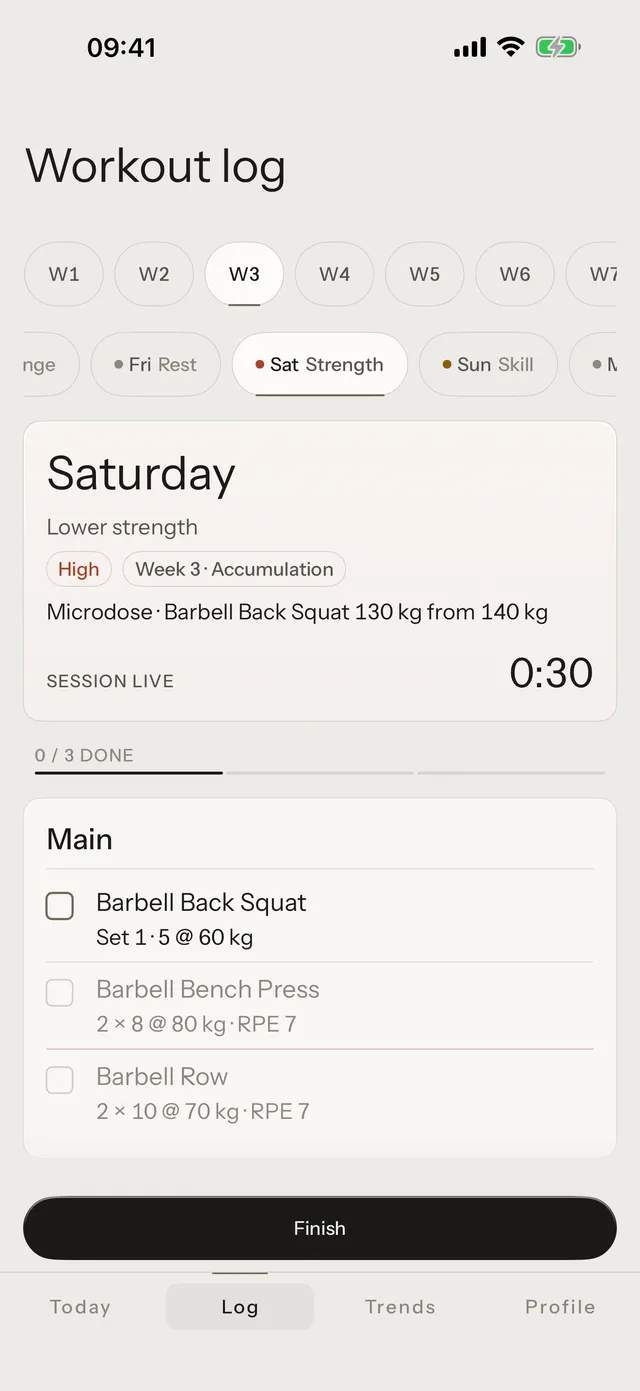
Start, and it runs in the card
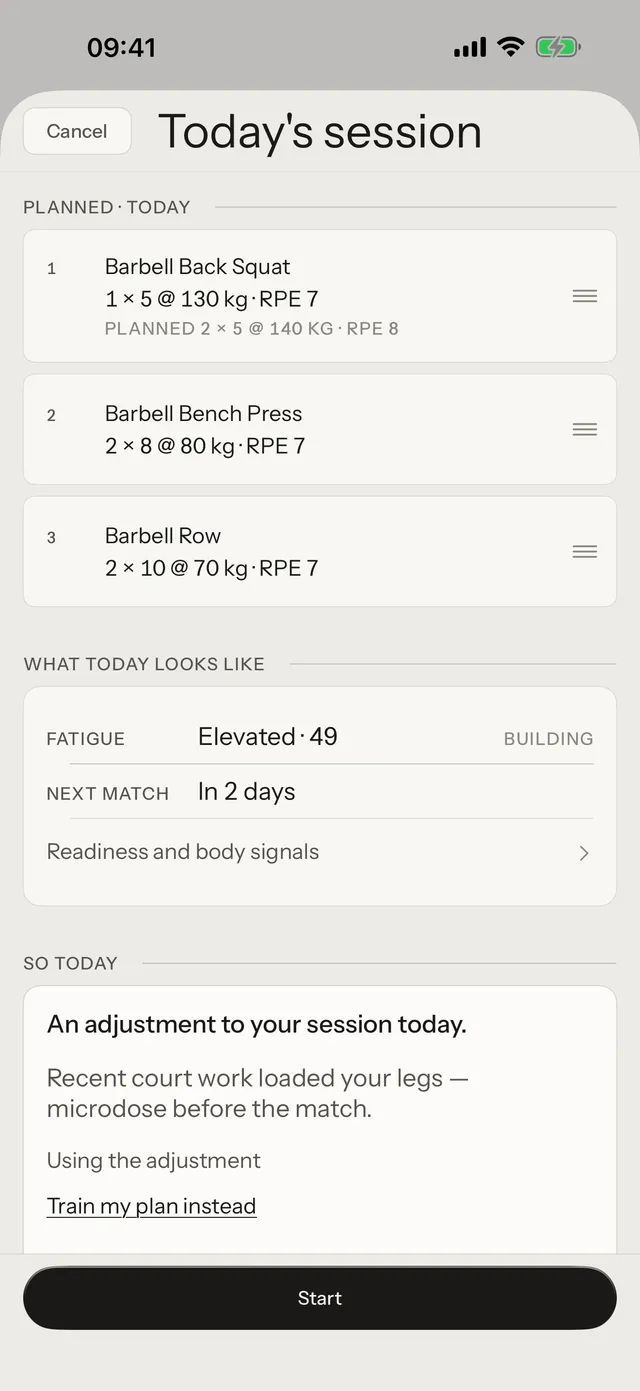
Start goes through the brief first: your readings, the day's suggestion and its reason, and Keep my plan beside it. Then the card goes live.
Tap a movement to open its plate, do the set, tap Log set. A movement ends when its last planned set is logged, or when you skip it. Finish saves the session; the effort rating is optional.
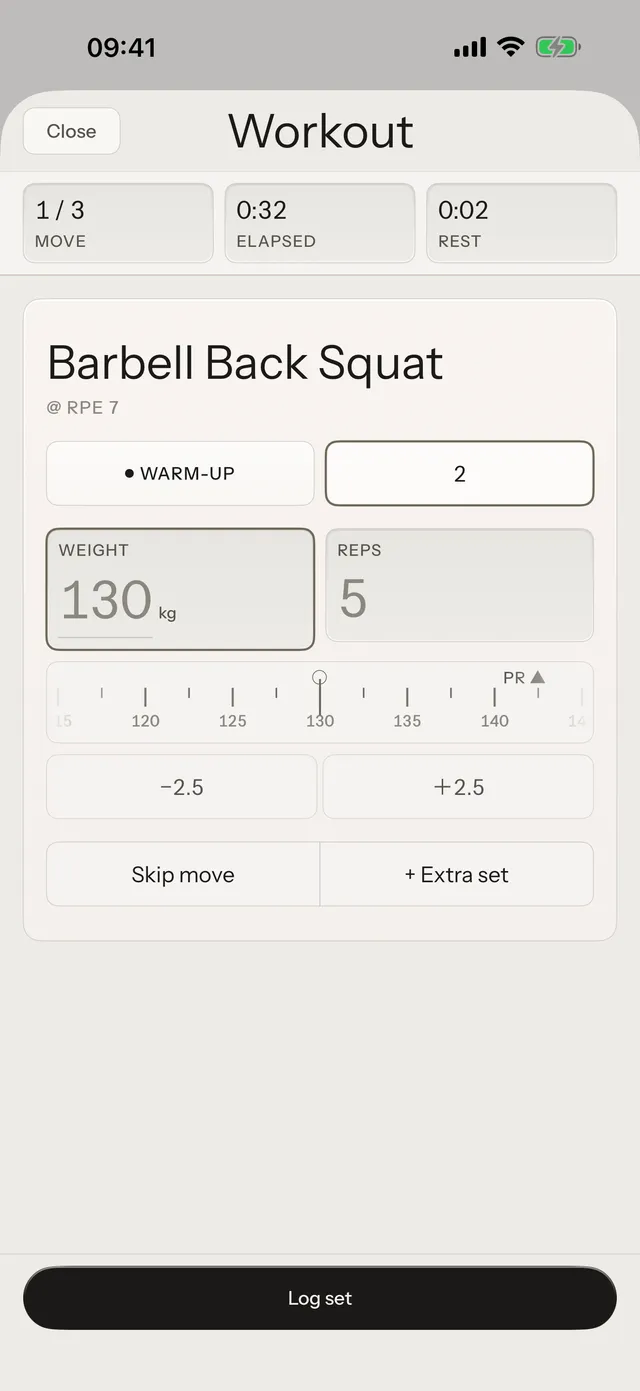
- Drills with no weight: one tap logs them as planned, a second tap undoes it.
- Weighted movements wait for the brief’s Start.
- The live session shows on the Lock Screen too — never a body number there.
The whole block, one tap away
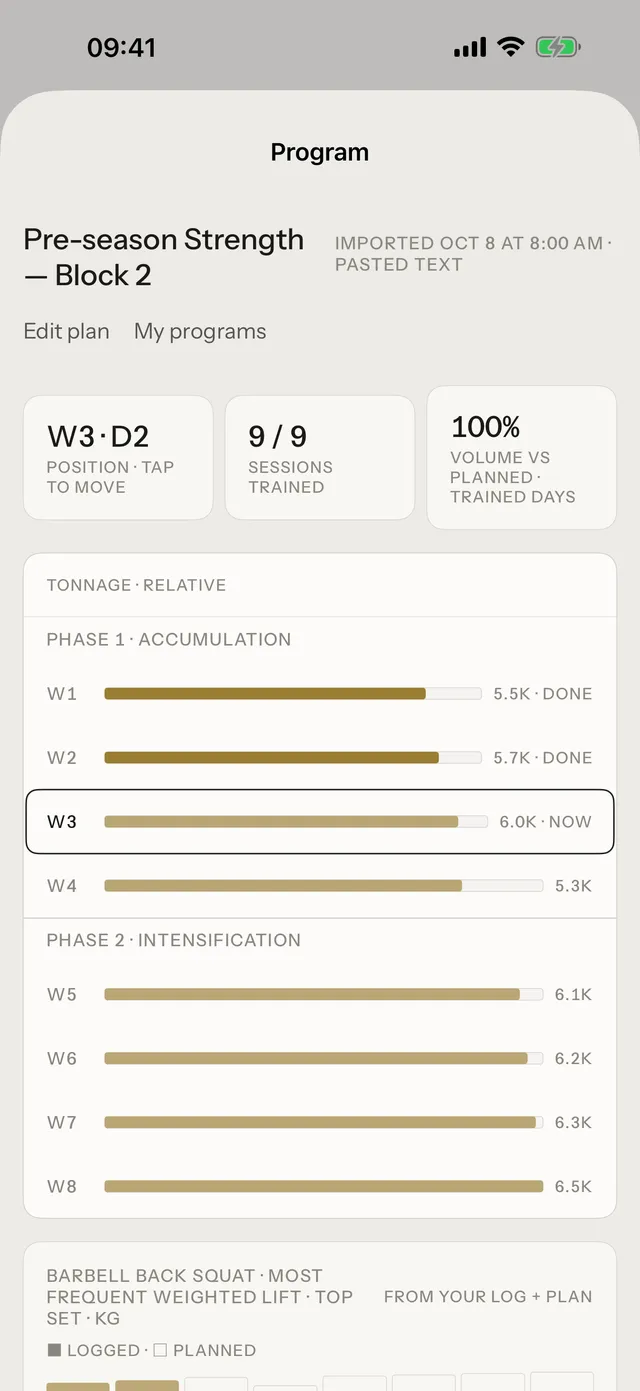
The Program row opens the overview: your weeks and phases on one grid, with the lifts of each week. Move your position, or bring a new program, from there.
Common questions
Do I need a program to use the Day Card?
Yes. The Day Card shows your program day. Without a program, Log offers Start session: a blank session, a template, or a workout you describe in words.
Does the Day Card change my plan?
No. It shows the plan as written. On a modify day, the brief suggests the change and you choose it or keep your plan.
Can I log a session that is not on the card?
Yes: Log › Start session. A missed day can be trained today or skipped.
The day on one card
Download Tuwa, bring your plan, and run today’s session from one card.