Bring your plan — or build it with your own AI
Tuwa reads the program you already train from and adjusts each day from your body. It never writes the program. With no plan yet, your own AI can write one in a format Tuwa reads.
Paste it, or bring a PDF or a photo
Bring your program as pasted text, your coach's PDF, or a photo of the whiteboard. Tuwa reads the weeks, the days, the sets and the targets — your authored set counts stay as written.
You see what Tuwa read before anything goes live. Where something needs a look, it says so; it never blocks your own plan. Then choose when week 1 starts: next Monday, or today.
- Reading a program uses an AI service, with your permission first — only the program text is sent, never an Apple Health reading.
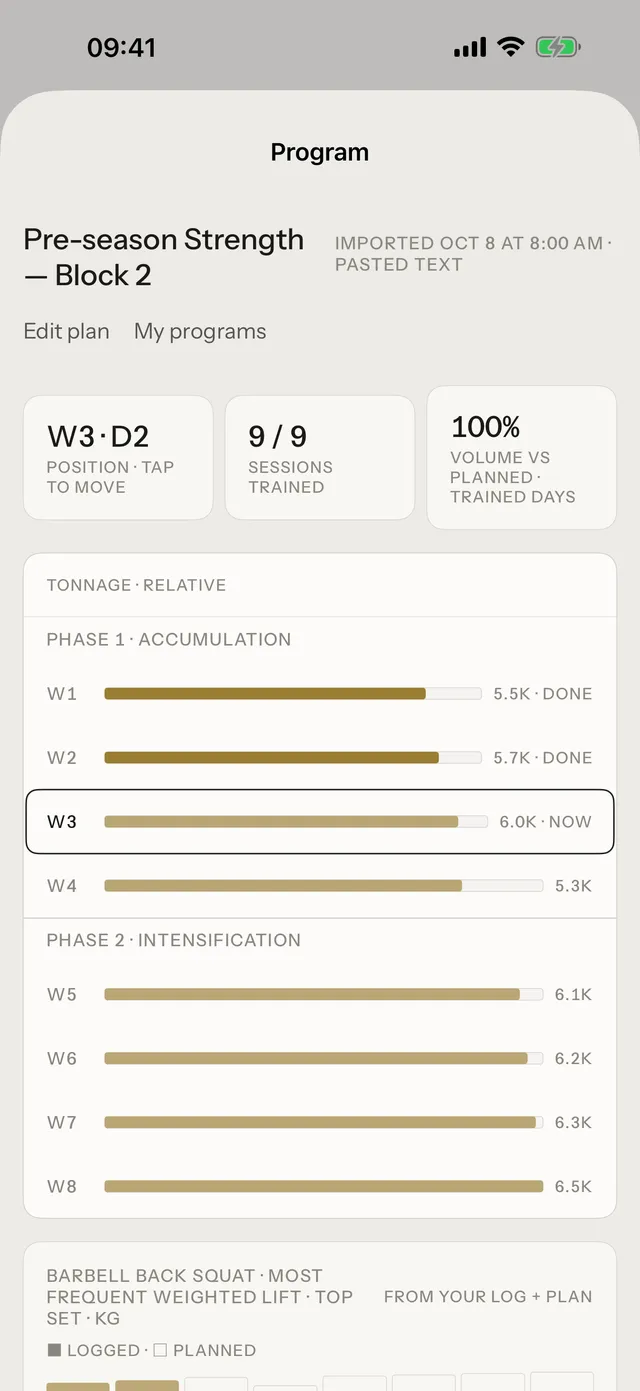
- The program overview shows every week and phase on one grid.
Build it with your own Claude or ChatGPT
Copy one prompt from Tuwa into your own Claude or ChatGPT. Your AI reads Tuwa's public plan-writing skill, asks you about your training a few questions at a time, and writes the first phase in Tuwa's import format. You paste it back into Tuwa.
Tuwa sends nothing to your AI on this route, and Tuwa still does not write the program — you and your AI do.
A draft from your AI waits for you
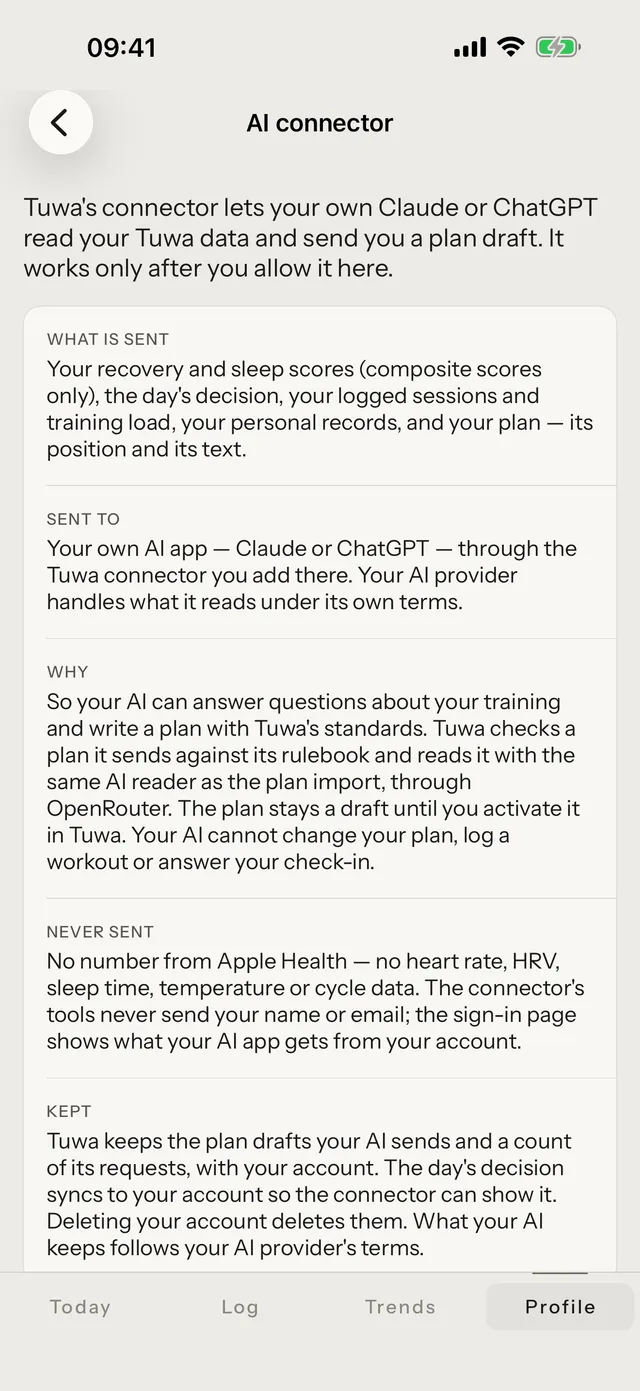
With the AI connector turned on, your AI app can send the plan to Tuwa as a draft. It lands on Today and Log as "A plan arrived from your AI"; you review it and choose Activate this plan or Dismiss this draft. Tuwa never activates a draft by itself.
Your plan, read against your body
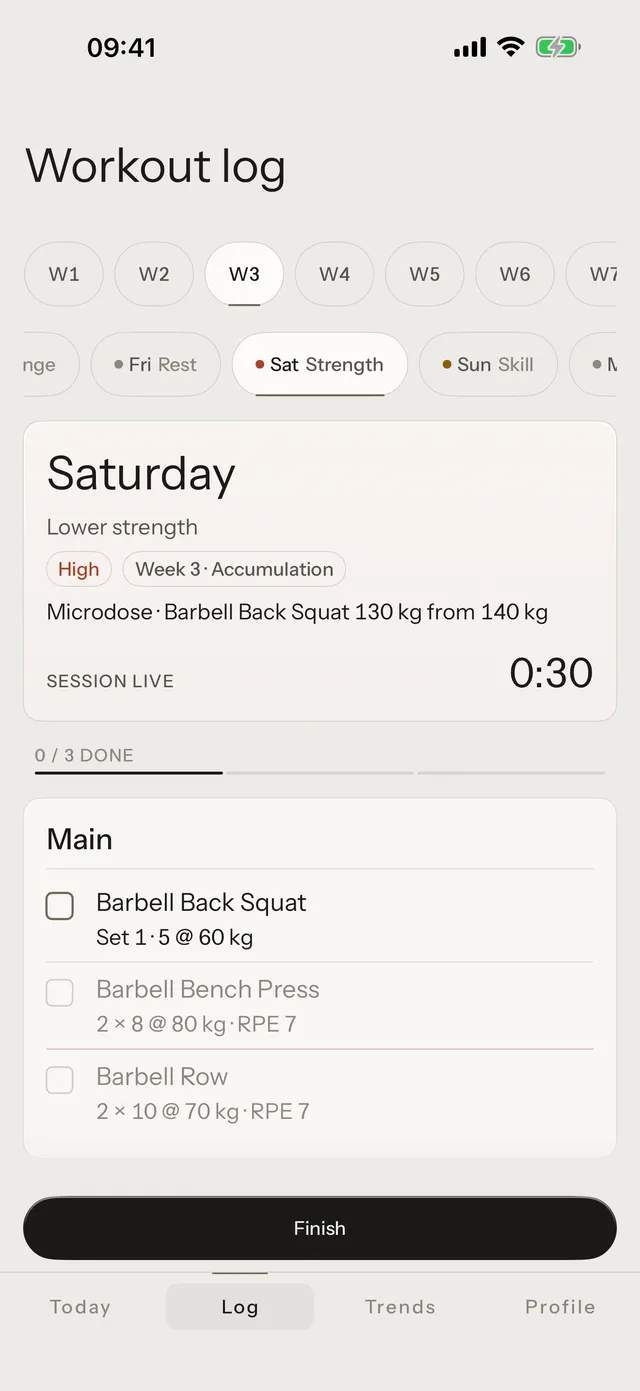
Each morning Tuwa reads your readings against the plan and states the day: its kind and its dose in words. The whole day sits on the Day Card on Log.
Common questions
Does Tuwa write my program?
No. You bring the plan, or your own AI writes it with you. Tuwa reads it and suggests each day's dose against your body; you decide.
What formats can I import?
Pasted text, a PDF, or a photo. For a plan your AI writes, Tuwa's import format is public at tuwa.app/skills/design-program/import-format/.
When does week 1 start?
Next Monday by default, or today if you choose. On a Monday it starts that day.
Can I change the plan later?
Yes. On Log, the Program row opens the overview: move your position, or bring a new program.
Bring your plan
Download Tuwa, bring the plan you train from — or build it with your own AI — and read it against your body each day.